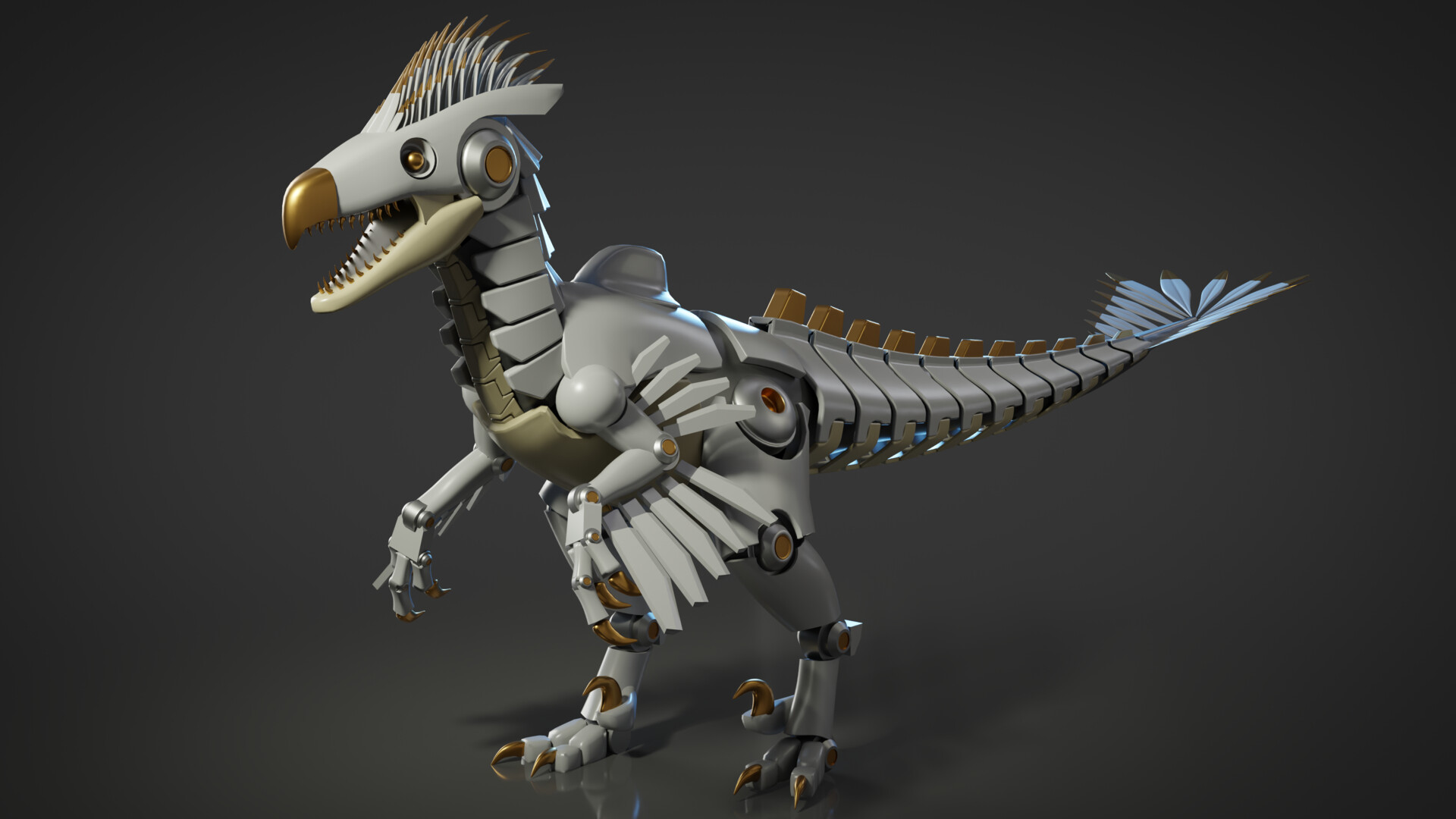
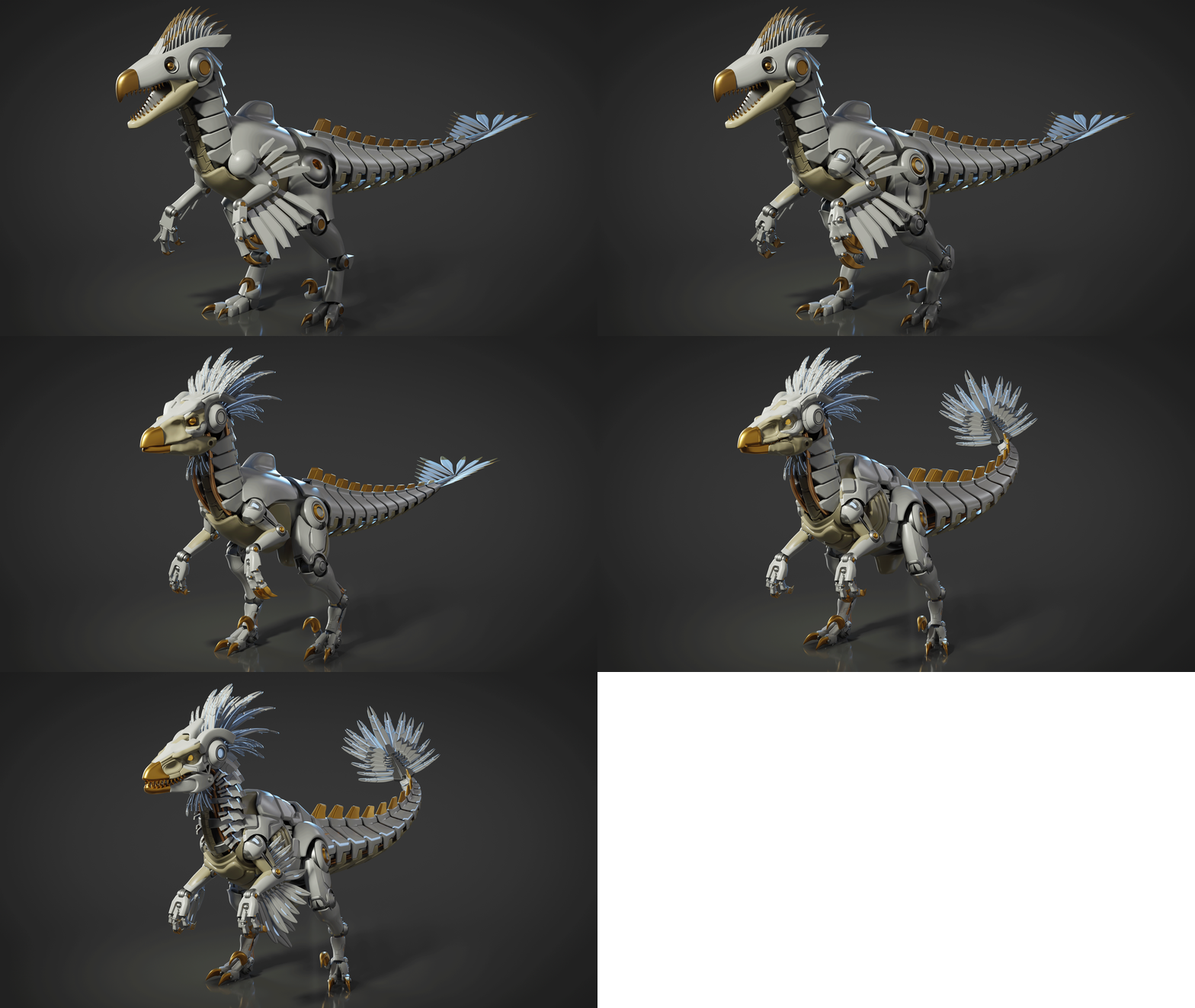
FNE Tutorial 01 - Dinobot Blockout

General / 21 March 2026

Hey Everyone, 

I was really sad to hear about the Flipped Normals marketplace closing down last week. They had some really amazing content on their site, with lots of creators making great tutorials. 

They are running a closing-down sale right now, so feel free to check it out on my store page here: Ben's Store. 

Despite this sad news, before the closure, I was contacted by Flipped Normals to work on an exclusive tutorial. I pitched a project I am super excited to complete, so I wanted to kick things off by talking about it and showing some WIP. I wanted to share my ideas and plans for the project and use this as a way to gather other artists' ideas and feedback. The tutorial will all be real-time, and I am going to show the process of this project from start to finish, so I'm hoping it's going to be a lot of fun to create and provide great value to other artists. 

The project title is - Dinobot 
Brief - Create a robot mech inspired by dinosaurs 
Art bible - Art Bible Link 

The first stage in any project for me is planning & creating documentation, as well as gathering references and creating a blockout 

For the initial planning, I completed the following. 

- Created an art bible 
- Tested the shallow water plugin in Unreal 5 
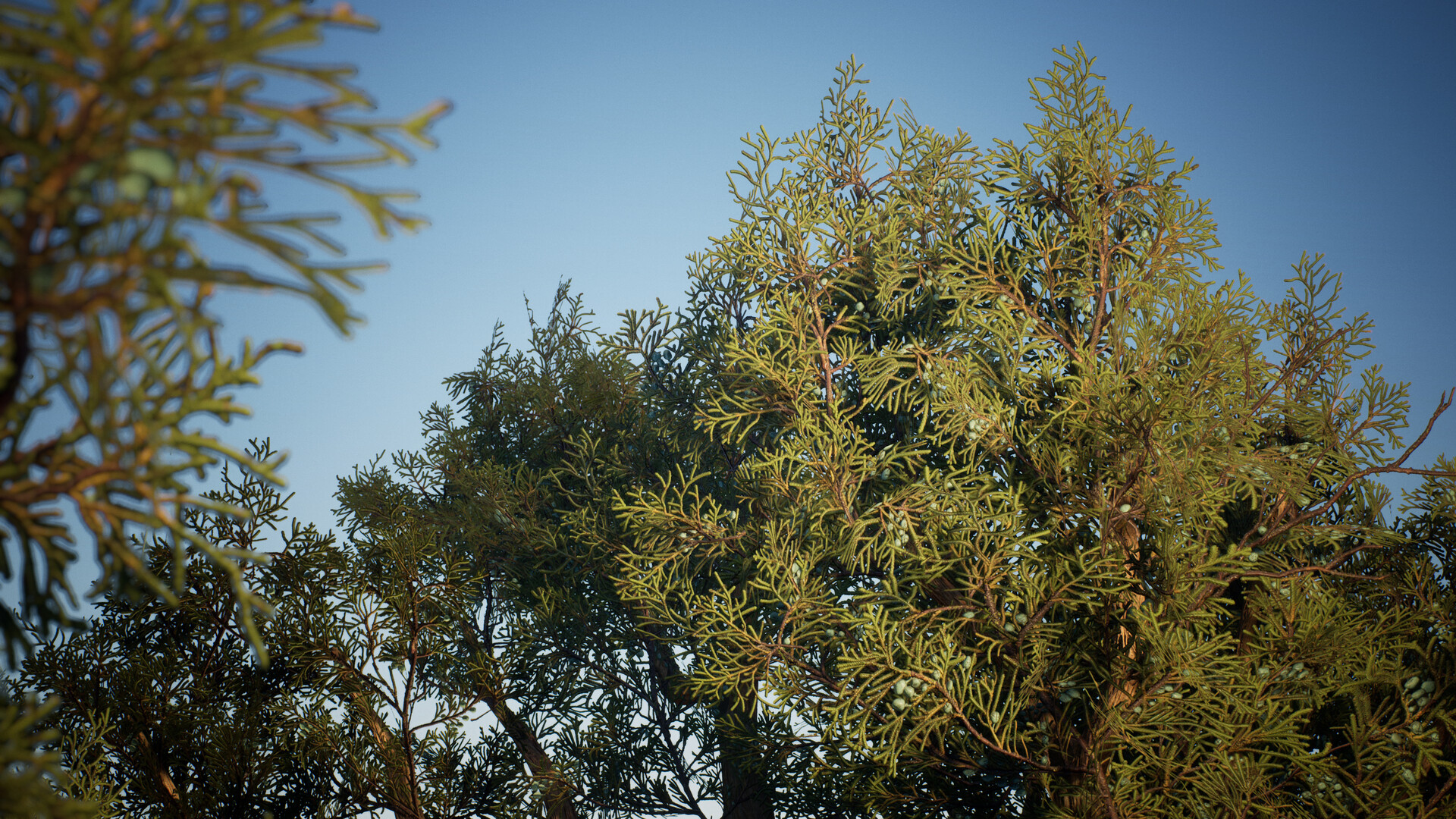
- Experimented with Megaplants to see if they would be useful 
- Did some quick speedtree tests 
- Experimented with AGX vs Aces for Unreal 

Next up was reference gathering. I initially did a lot of reference work using Pinterest, then translated it into PureRef. The image below highlights a small selection of some of the references I gathered. I also bought an encyclopedia on Theropods and visited the Natural History Museum in London to take some photos. I decided quite early on that I wanted to create a Raptor, not a Velociraptor as you see in the Jurassic Park movies, but something more historically accurate, with feathers. 

For the blockout, I started both a blockout for the mech as well as for the scene. 

For the scene, I used Megascans and Megaplants to start with. I plan to hand-sculpt a small collection of plants later, but this gives me a way to find out which assets I need without committing to making anything. I can test how many species and what variety I need. I used Dash to place this scene, which took me about an hour. 

I used Sketchfab to rip a blockout raptor into Blender and exported it to the game, and set up a cine camera and some lighting using UDS. 


For the raptor mech, I started in Blender. Again, using Sketchfab, I found a really nice raptor reference model to guide me on the anatomy. When creating any mechanical or organic creature, I find it very helpful to start with a solid foundation. Once I get into the process of designing the mech, I can always change proportions and silhouette later. I used a very similar process when I made my Ecobot as well. 

My general workflow for this is a combination of box and strip/edge modelling for the foundation. For very organic shapes, I use Sub D to keep the density low and make them easy to manipulate. Booleans as well, on occasion, such as to cut out where joints would go. 


Also, as this is mechanical, there are often areas with a lot of repetition, such as the tail or feathers. Even repeating details like panels that follow the neck's shape. To save time, I am making a single piece using an array and deforming it along a curve. The new Array modifier in Blender is really nice, as it lets you scale, rotate and transform the array so it can taper, for example. I also use the curve points to adjust the scale along the curve.


This is the blockout so far for the Raptor Mech. There are a few bits I need to tidy up once I get into proper modelling, especially around the head, as even in blockout, this lacks a little detail. 

Thanks for reading and getting to the end of the post. 

If you have time and want to give any input on the project, or if you have feedback or ideas/suggestions for what you'd be interested in seeing in the tutorial, please let me know! 

Thanks 
Ben 

GDD Podcast

General / 25 March 2021

Hi Everyone, 

Had a blast chatting with Alex on the GDD podcast. Check it out if you can :)


Listen on Spotify ⯈ https://open.spotify.com/show/7spDMpMZJ9dr3Ziu8bRwCA
Listen on SoundCloud ⯈ https://soundcloud.com/gamedevdiscussion
Listen on iTunes ⯈ https://podcasts.apple.com/gb/podcast/game-dev-discussion/id1459400002
Listen on YouTube ⯈ https://www.youtube.com/watch?v=w42pSBbFLv0

Thank you :)
  

80lv and Experience Points Articles

General / 28 May 2020

Hi Guys,

Recently I wrote two articles. One for 80lv and the other for Experience points. I was very happy to collaborate with both of these websites to create different pieces featuring my recent foliage project.

You can find the articles here. I hope that they show some of the progress and give people an insight into how I created the work. If you have any questions you can always reach out and I try and get back to you to answer the questions.

https://80.lv/articles/human-emotions-creating-vegetation-with-alpha-cards/ 

https://www.exp-points.com/ben-keeling-environments-foliage-and-materials


GasStation Blockout 04

General / 04 June 2019

Deciding to change project ideas was not an easy decision. On the run up to the Christmas break I took a month off to work on art, so changing paths was that much harder. I had many conversations with different artists, friends and my partner, but ultimately decided that somewhere during the process I had lost the spirit of type of art I wanted to create. The stylized art of my Tokyo street was fun but not hitting those main objectives I had set out to tackle from the beginning. 


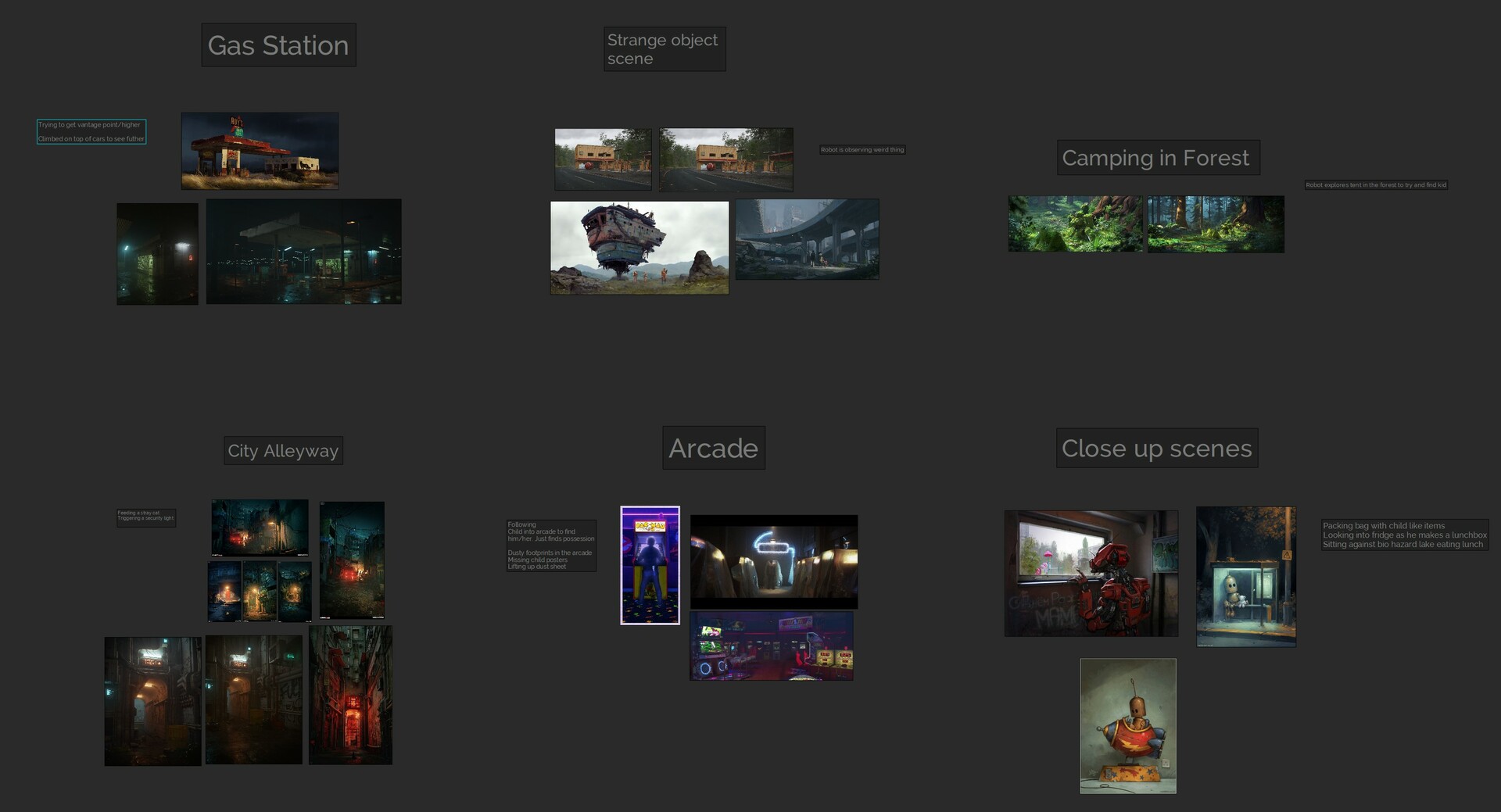
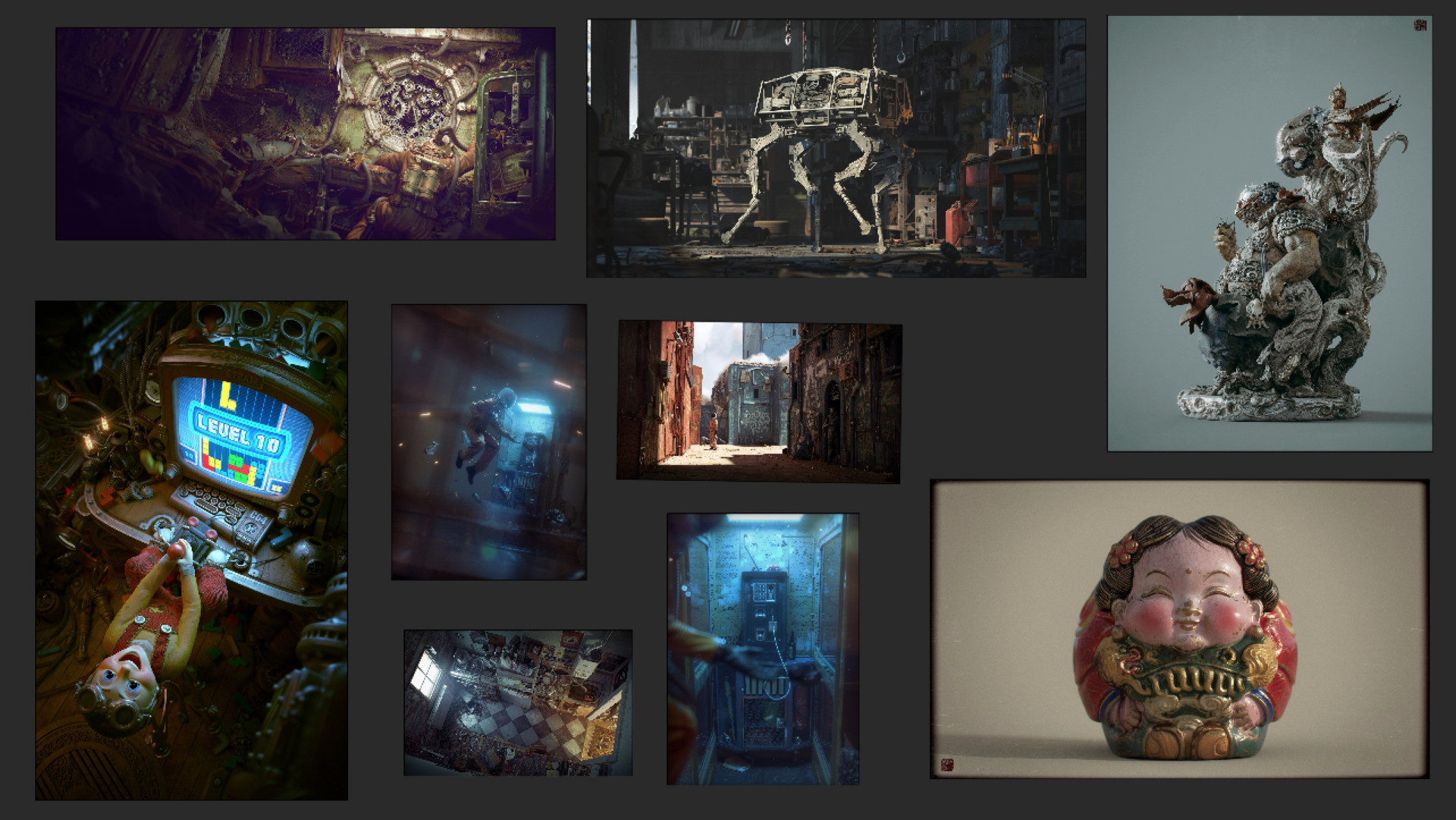
Although I felt demoralized, I decided the correct route forward was to try to plan out what the series might look like as an overview. I began by thinking about scenes I wanted to create and how I could link the story of the robot.  Below is a ref board to detail the sort of themes I thought could be interesting settings for future projects. 


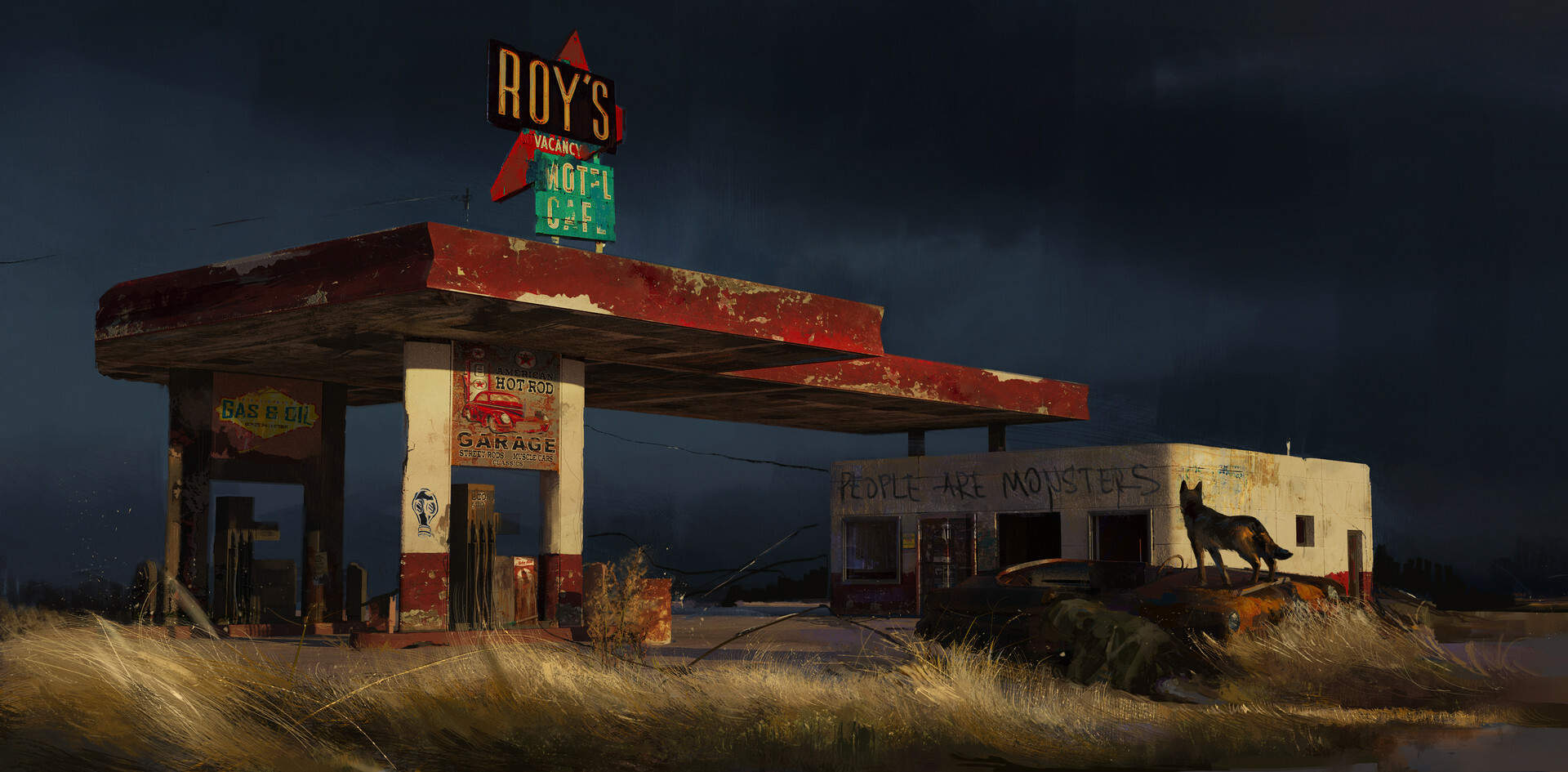
The gas station theme stuck out to me as hitting all the correct objectives, it felt cinematic and I always wanted to revisit a more abandoned setting. I settled on this concept which encompassed everything I was striving for, I chose it because it does a great job of establishing a mood but is still open to interpretation.


 Alexandra Roslik - Gas Station

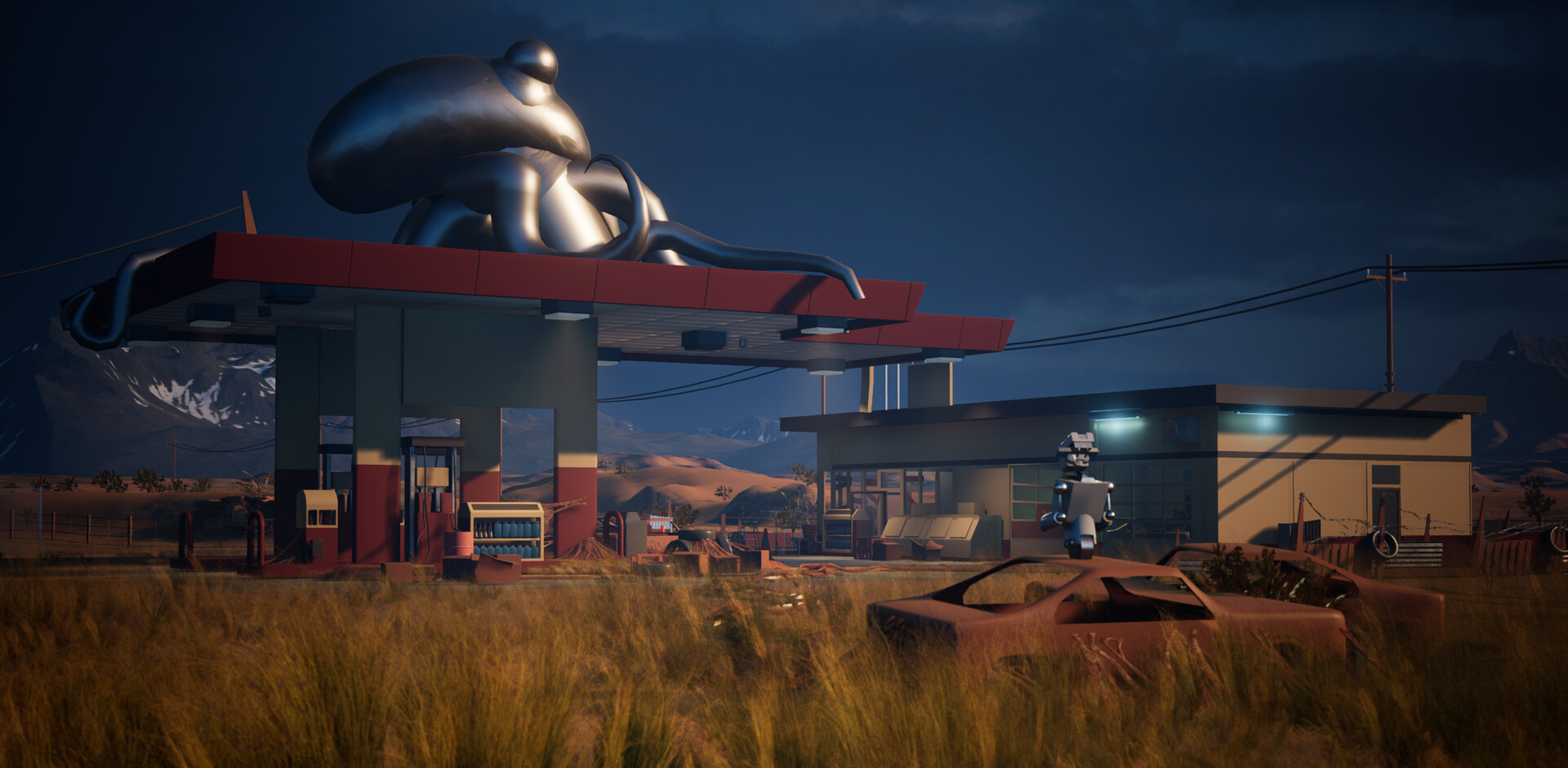
Since deciding to stop working on the Tokyo scene I have been working on a new blockout. As with the other scene, it establishes a framework of assets, materials and processes that will ensure the creation of final art is as straightforward as possible. (including borrowed assets from ue4 resources which I will replace later) 

I still wanted to keep some of spirit of the other scene with some crazty and nod to Simon Stålenhag with a giant Octopus on the top! 


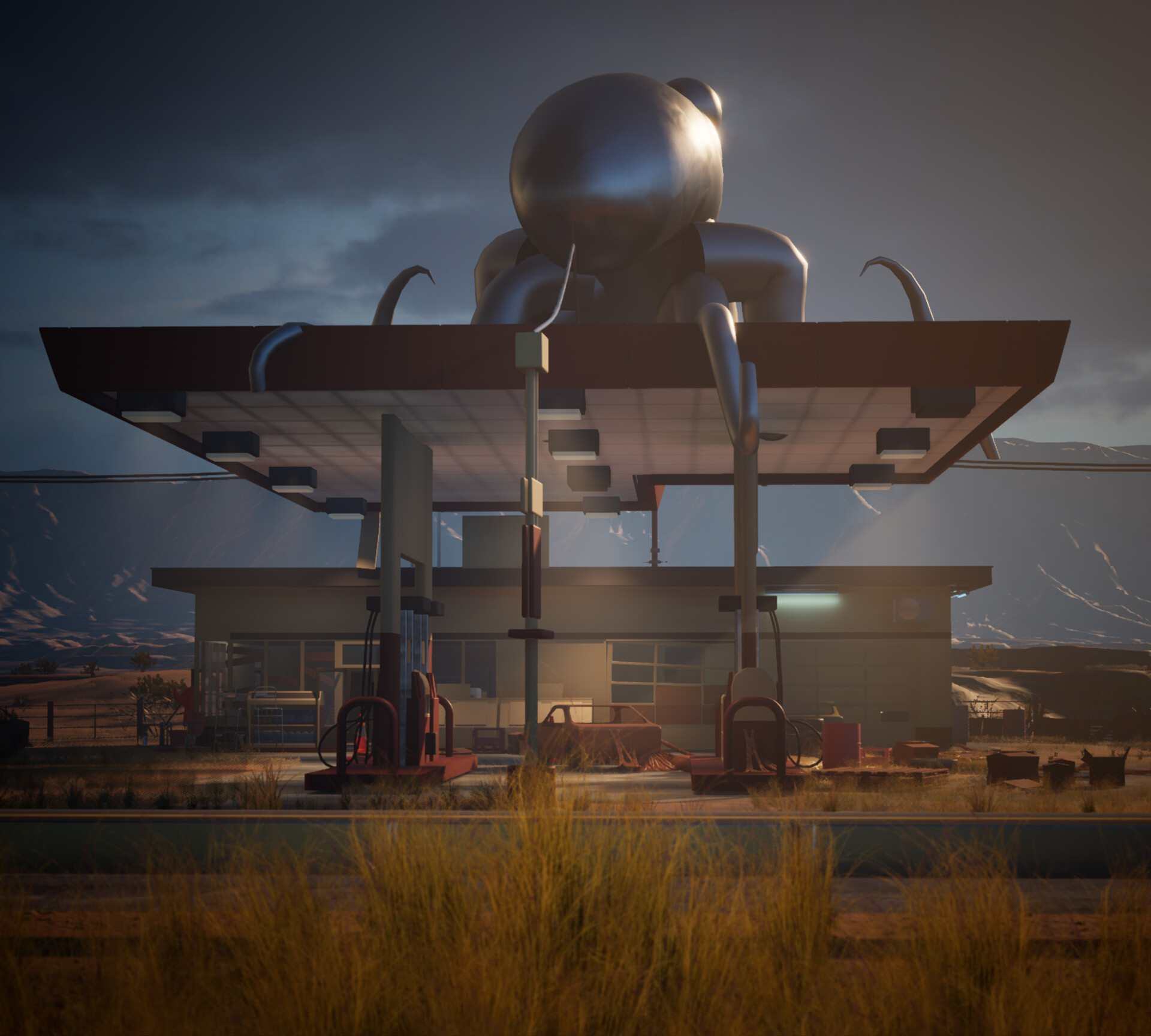
Side composition inspired by Ed Freeman 

Supporting shots - close up's and interiors


As well as the abandoned gas station I wanted to tell a story about the world of human emotions. An alien virus is feeding from the fuel sources. Which gives more of an unsettling feeling to the closer shots. The story and the actual final assets for these are still very much to be determined, but currently I have a fleshy growing theme for these. 

This is a relatively shorter blog to update on the progress for the blockout before I start asset production. I will do more of a breakdown for some of the process involved in this. Including the blueprints and other relevant information.

Vray Personal Project

General / 27 December 2017

After the Artstation challenge I took time to reflect upon my work. From university progression developed at a steady rate. Each project I improved and learnt something to take forward into the next concept I worked on. It wasn't until finishing the challenge I hit a bit of a brick wall.

Professionally, learning has continued to improve especially with Substance. I think this is in part to do with the company I share, but also the sheer time spent in particular disciplines.  With personal work I felt I underachieved in the Beyond Human Challenge. That’s not to say It was awful or horrendous and there were definitely some new lessons I took away. Bringing understanding of properly calibrated materials from work benefited the environment the most. This gave me flexibility in lighting the scene that I never had in previous projects. Yet ultimately I came out of it unsatisfied and disappointed with the end result.

Upon reflection I drew inspiration from other artists. Looking into their work and attempting to understand what shortcomings were needed to get there. The common theme included a few ideas I noted here. 

  • Often they used offline rendered method such as V-ray

  • A key focus on telling a story 

  • Great composition made sure there was never any questions in subject.

Links to Artstation profiles. If you are interested in the above work 

Zhelong Xu

Cornelius Dämmrich

Andrew Averkin

Toni Bratincevic

After outlining areas I hadn’t quite hit yet, I began thinking of new projects. Pushing through the brick wall of development is about quality as well as the shortcomings mentioned above. In the past I worked with timelines set by myself as well as project deadlines such as the challenge. Although there was a lot to gain from sticking to a predetermined schedule I have opted for a much wider timescale this time round. The advantage of this means I can work on each stage while reviewing thoroughly before I move on. I want everything I am doing to be perfection.

I began this project in the way I have previously by firstly sourcing reference images. Initially working from other artist inspiration to look into what aspects of the images I found interesting. Why was the composition so successful and how did they achieve that result? What story was it that they were trying to tell and why was that interesting? How did the rendering enhance the quality of the image and what details did they focus on?

I started focusing on different tutorials and learning resources to help gain more background knowledge on these topics. A couple of standouts for me are below. 

Creating a Sci-Fi Alleyway

Lenses, Composition and Camera Angles

Compose shots to tell stories

After researching further into Vray and compositional techniques I started collating images of compositions that I felt were successful and worked well. I then started to think about loose ideas of a story. I have always created quite dark and moody themes within my work in the past and to try and change things up I wanted to opt for a theme that stayed away from this. I stumbled upon Goro-Fujita’s work as I loved the storytelling he created. He has a gorgeous sense of colour and atmosphere in his work which could be likened to a pixar or disney style animated movie. I particularly loved the image below which I thought showed a strong composition and theming which would be perfect for the type of project I wanted to create. 

This gave me a great starting point for my story; an old guy working on his robot to repair him. Giving me the chance to introduce lots of detail in the middle and background and show quite a homely warm atmosphere. 

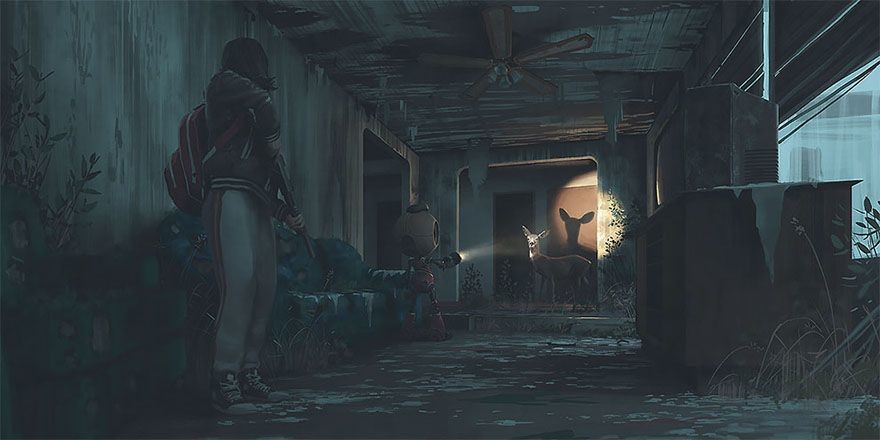
Fleshing out the story further I started to look at other images that inspire me. I have always been a huge fan of Simon Stalenhags work and I knew that he created emotive imagery often including robotics. This image stood out to me as there was a cool sense of discovery using light and shadow. I thought that perhaps I could introduce that feeling as part of my image with a smaller robot in the foreground. I was interested in playing with the feeling of an older robot discovering the newer model being created. 

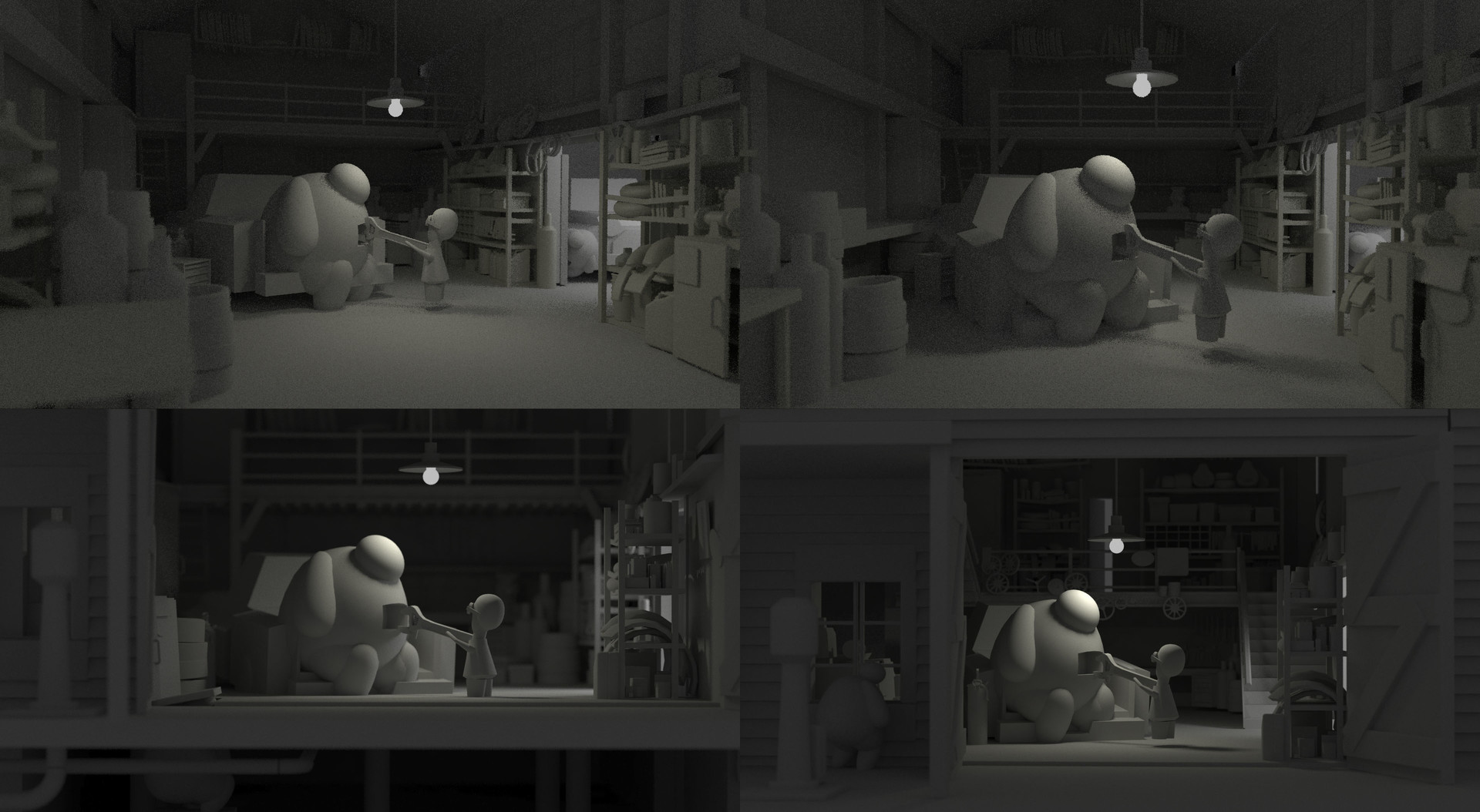
I then started to play with compositions.I treated this stage as my blockout, picking a setting and building some primitive shapes. I have been guilty in the past of picking an interesting project idea and being so excited to start that I haven’t seen the blockout process through thoroughly enough. After watching the Gnomon tutorial I picked up a couple of tips on ways to explore this process further and setup different angles. I attempted more angles than below but these were some of my favourites. In the past I never setup multiple viewpoints. Seeing them side by side allowed me to progress and take forward elements I liked from each. I never understood this before but you can't always expect the first idea you have to be the best. 

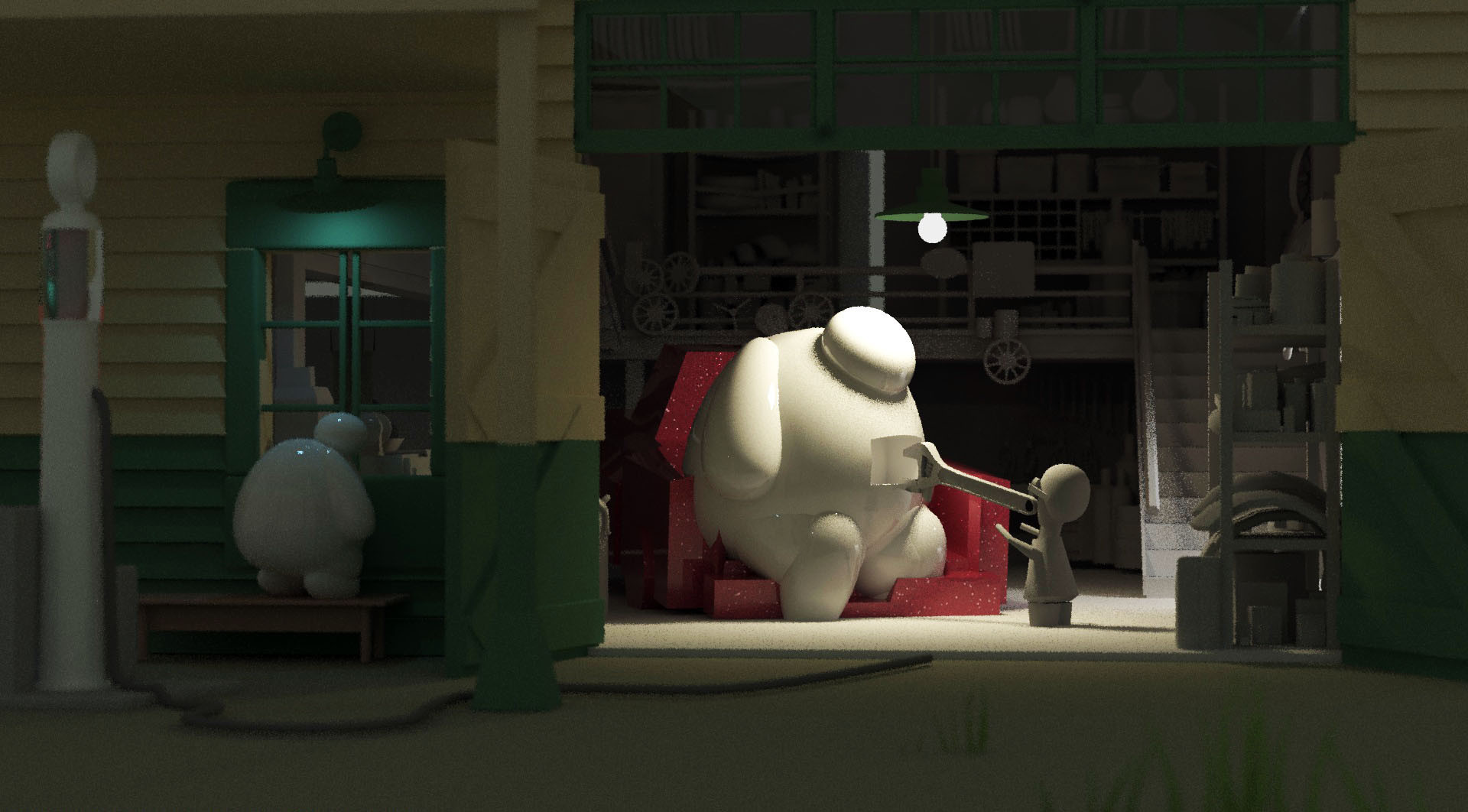
After attempting different compositions I never expected to work , this led me to create my final blockout image. 

*Robot is placeholder shapes I am aware he looks like big hero 6 

One thing I also did here was get lots of different advice and opinions on these compositions. Although it’s not 100% perfect I am pretty happy that this is going to make a successful image when fully realised. It is complete to a level that I can iron out a few kinks once I work further into the models. I can now comfortably move on to fleshing out props further.

I plan to update in blogs as I work on the project. Hopefully this project pushes above and beyond the quality at which my current folio sits. I would be interested in any thoughts you have and any tips you may have to offer. 

Ben